Public pages
The wording of your Terms and Privacy pages, and the address of the page where sellers agree to texts.
Your site publishes a Terms page and a Privacy page in your name. Both come with default wording, and this card is where you change it.
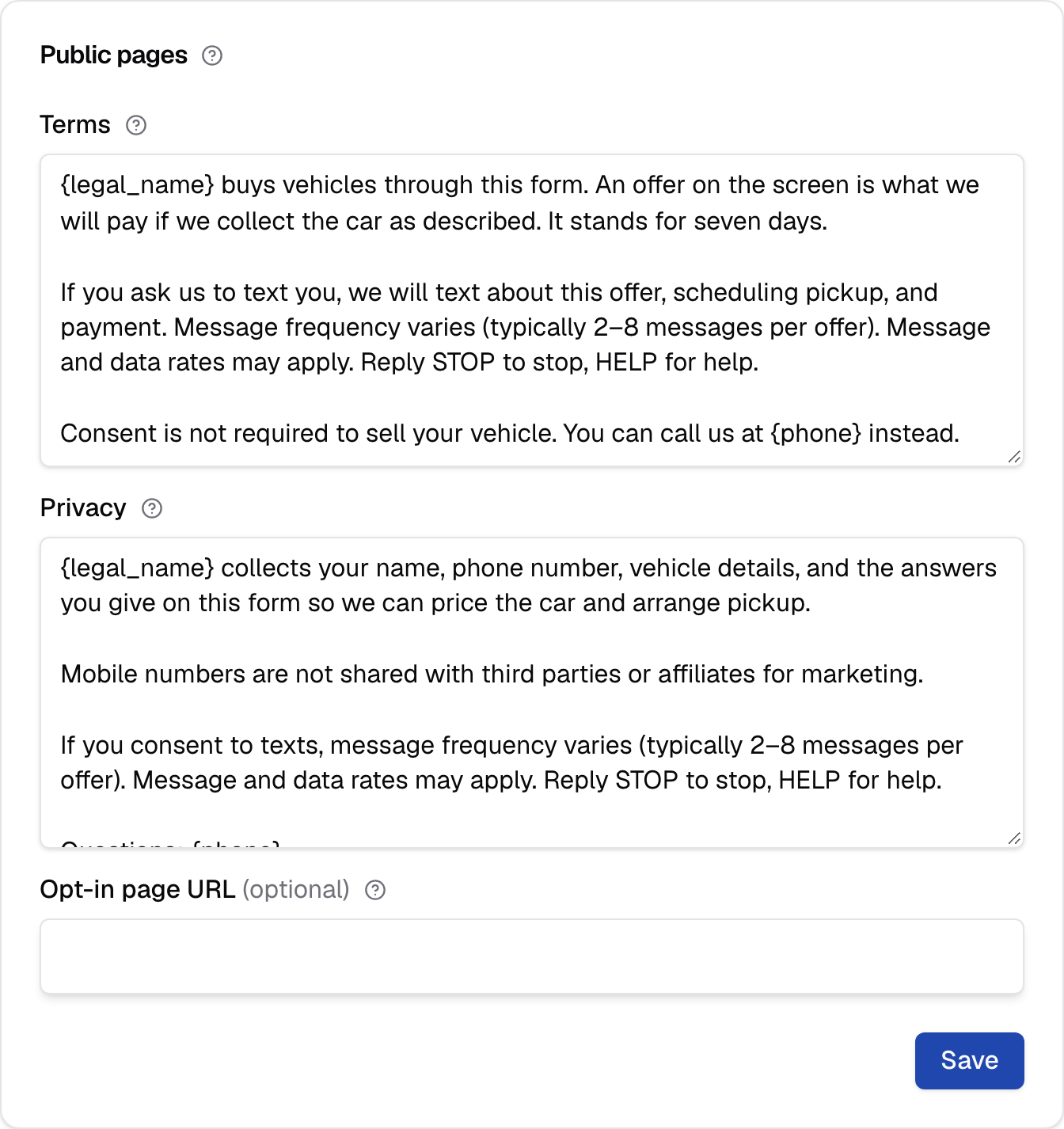
Public pages
The Terms and Privacy pages your site shows the public, and the address of the page where sellers agree to texts. Both pages start with default wording. This card saves on its own.
Terms
The wording of your site's Terms page. and fill in from the Business card. Clear the box and save to restore the default wording.
Separate paragraphs with a blank line; each one becomes a paragraph on the page. A single line break doesn't start a new paragraph. The page shows plain text only, so there's no bold, no headings and no links.
Two tokens fill in for you, wherever you type them:
{legal_name}becomes your legal business name.{phone}becomes your phone.
Change either on the Business card and the page follows, so you never retype them here.
The default says what the offer is, what texting means for the seller (how often you text, that rates may apply, how to stop), and that agreeing to texts isn't required to sell. Read it before you change it.
Note
The sentence a seller agrees to when they enter their number isn't editable here. It names your legal business name, and your site keeps a record of it with every consent.
Privacy
The wording of your site's Privacy page. and fill in from the Business card. Clear the box and save to restore the default wording.
It works exactly like Terms: blank lines separate paragraphs, the same two tokens fill in, and clearing the box restores the default. The page is titled "Privacy Policy".
The default says what you collect from a seller (name, phone number, vehicle details and their answers on the form), what you use it for, that mobile numbers aren't shared for marketing, and who to ask: your phone number.
Opt-in page URL
The full web address of the page where a seller agrees to texts. It's saved with each seller's consent, and carriers may ask for it. Optional.
Enter the whole address, starting with https://, up to 300 characters. Leave
it blank if you don't have one. An address without its start gets "Enter the
full web address, starting with https://."
Where sellers see these pages
Your Terms and Privacy pages are public pages on your site, each with a link to the other. Anyone can open them without signing in.
They're at your site's address followed by /terms and /privacy, for example
https://northlot.instabidder.com/terms.
Carriers reviewing your texting registration can open them. Your seller form doesn't link to them today, so a seller reaches them by address or from a link you add on your own website.
Saving a blank Terms or Privacy box replaces it with the default and shows the default in the box again.