Where it appears
The website your form is allowed to appear on, and the line to paste there to put it on your pages.
The form only shows on the website you name here. This tab sets that website and gives you the line to paste on its pages.
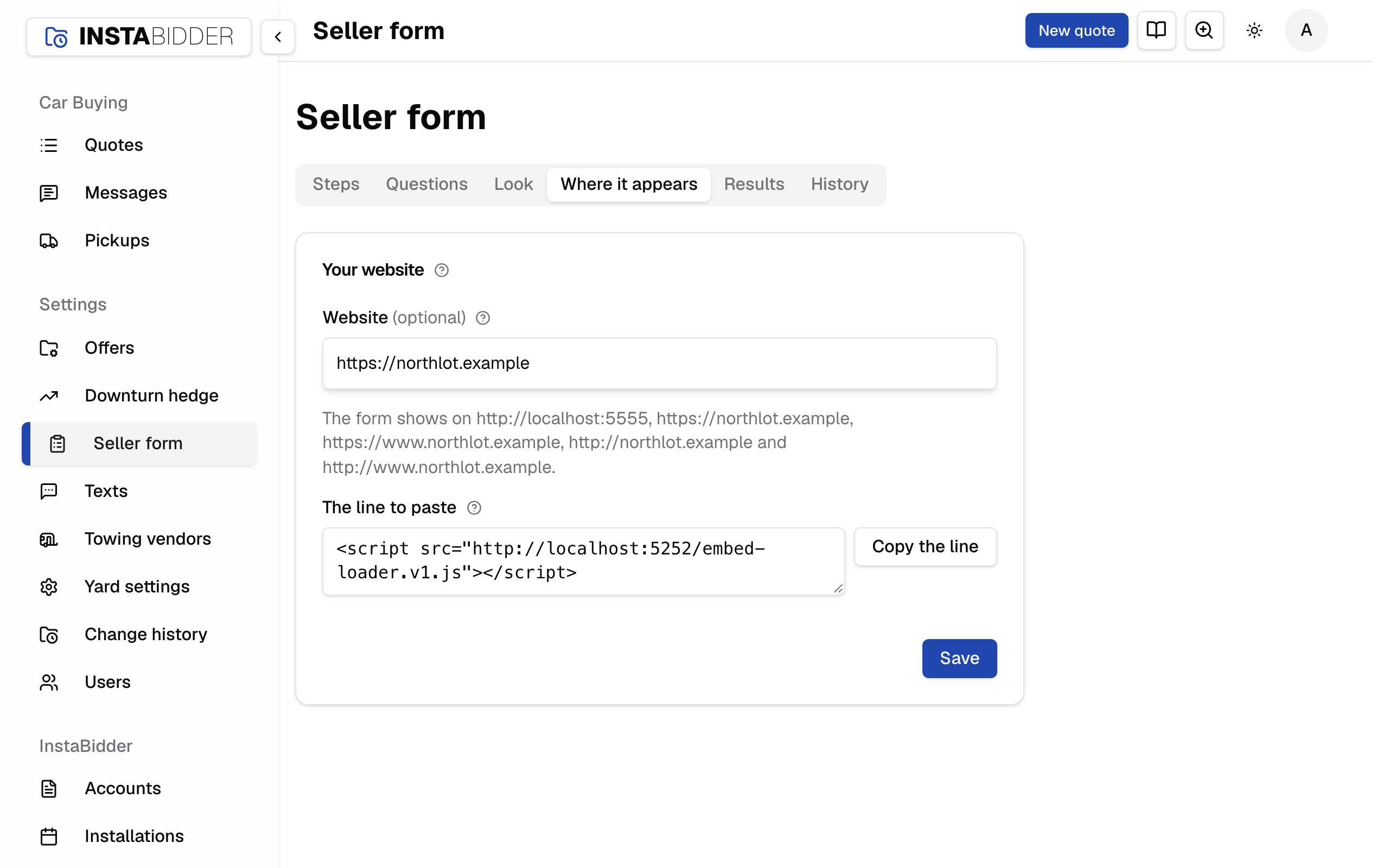
Your website
Where your form appears, and the line to paste there. See the form opens it in a new tab, as a seller would see it.
Press Save after changing the website. The tab says "Saved.", or "Nothing changed." when it was already that website.
Everyone who signs in can see this tab and copy the line. Only an Admin can change the website.
Website
The address of your yard's website, such as northlot.com. The form only appears on this website; on any other site it refuses to load.
Type it as it reads in a browser; you don't need the https. It's the same website as on Business info, so changing it here changes it there.
Under the box, the card lists every address the form shows on: your website with and without www, on https and http. If InstaBidder set up any other address for you, it's listed too. For northlot.com it reads "The form shows on https://northlot.com, https://www.northlot.com, http://northlot.com and http://www.northlot.com."
An address that isn't a website is refused: "Enter the web address, like acme.com." Up to 300 characters.
A change takes effect at once. The form stops loading on the old website and starts on the new one, and Look reads the new one for its colors.
When the website is empty
With no website, the form shows on no website and the card says "The form shows on no website yet." Sellers can't reach it from your pages until you add one.
Clearing the box and saving takes the form off your website.
Your team can still take phone quotes, which use the form on your dashboard.
The line to paste
The one line that puts the form on a page of your website. Paste it where the form should appear; it fits the page's width and grows to fit each screen.

To add it:
- Click Copy the line.
- Open the page of your website where sellers should get an offer, in your website editor.
- Paste the line where the form should go, in a place that accepts code (often called an embed, HTML or code block).
- Publish the page and open it to check the form loads.
The line never changes, so you paste it once. Changes to your questions, order or look show on the form without pasting it again. Put it on as many pages of your website as you like.
If the card says "Your InstaBidder site isn't fully set up yet, so there's no line to paste.", contact InstaBidder support.
The form doesn't show
Check that the page is on the website named here, with the same address. A page on another address, such as a separate landing-page site, needs that address added by InstaBidder support.