Business
Your legal business name, phone, country and time zone, and where each one shows up.
The Business card holds the four facts about your yard that your site repeats everywhere: in texts to sellers, on the seller form, in your public pages and on the offer.
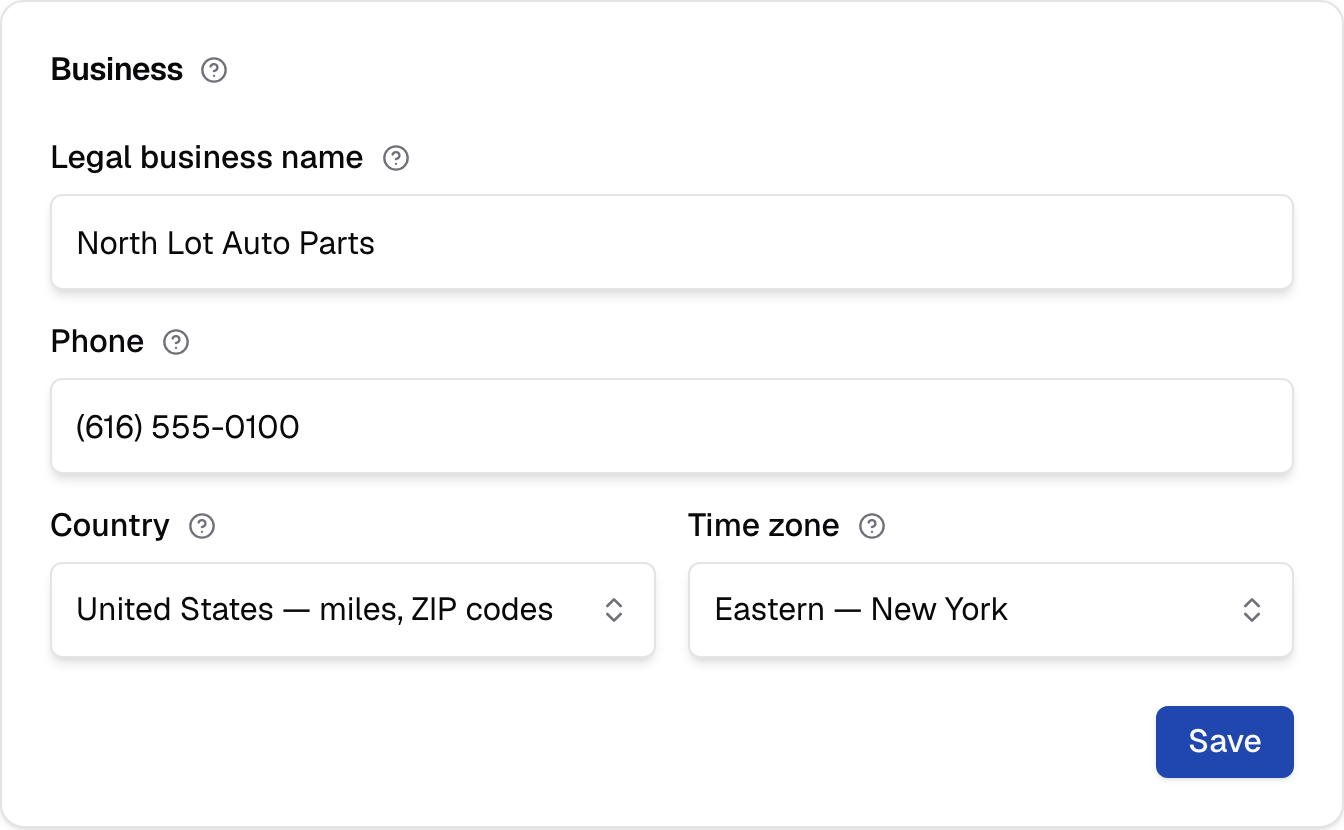
Business
Who you are to sellers and to the carriers that approve your texting: your legal name, phone, country and time zone. This card saves on its own.
On a yard's own site, a Business info button at the foot of this card takes you back to the setup step where you first entered these details. Your website and office address are changed there, not here. Legal business name, phone and time zone are on both pages, and a save on either changes the same details.
Legal business name
The name your business is registered under. Texts to sellers begin with it, the texting consent sentence names it, and carriers compare it to your registration.
Spell it exactly as it appears on your registration paperwork. Carriers that review your texting number compare the name sellers see with the registration on file. Up to 120 characters; empty or longer, your site says "Enter the legal business name, as on your IRS paperwork, up to 120 characters."
Your legal name fills the {legal_name} token in your Terms and
Privacy pages, so changing it here changes
those pages too.
Phone
The number a seller can call. It's on the last screen of your seller form and in your texts, and it fills the token in your Terms and Privacy pages.
Use a number somebody answers. A seller who doesn't want to text, or who has a question about the offer, calls this number. Type it the way sellers should read it, up to 40 characters; empty or longer, your site says "Enter a phone number sellers can call, up to 40 characters."
Country
United States or Canada. It changes what you read on screen: miles and ZIP codes, or kilometres and postal codes. It doesn't change your offers.
The list reads "United States — miles, ZIP codes" and "Canada — kilometres, postal codes". During setup your country follows the office address on Business info; once setup is finished, this is the only place it changes.
Choosing Canada switches every radius you type to kilometres and every tow rate to a per-kilometre rate. Figures you already saved are converted, so a 50-mile radius becomes about 80 km rather than 50 km. See Canada.
Labels follow the country you last saved, not the one you've just picked, so the page doesn't change until you save.
Time zone
The time zone your yard works in. It dates the good-until day on each offer and the times your team sees, so pick the one your lot is in.
The day a seller reads as "good until" is worked out in this zone, and the zone in force when the offer was made stays with that offer. Changing the zone later doesn't move the date on an offer a seller already has.
The list covers the United States and Canada: seven zones in each, named for a city, such as "Mountain — Denver" or "Atlantic — Halifax". Arizona and Saskatchewan have their own entries, because they don't change their clocks. If yours isn't obvious, pick the zone of the city where most of your pickups happen.