Team texts
Choose which of your team gets each internal text, on which days and between which hours.
Some automatic texts go to your own team instead of to a seller, such as a heads-up that a seller hasn't answered. The Your team's texts card sets who gets them.
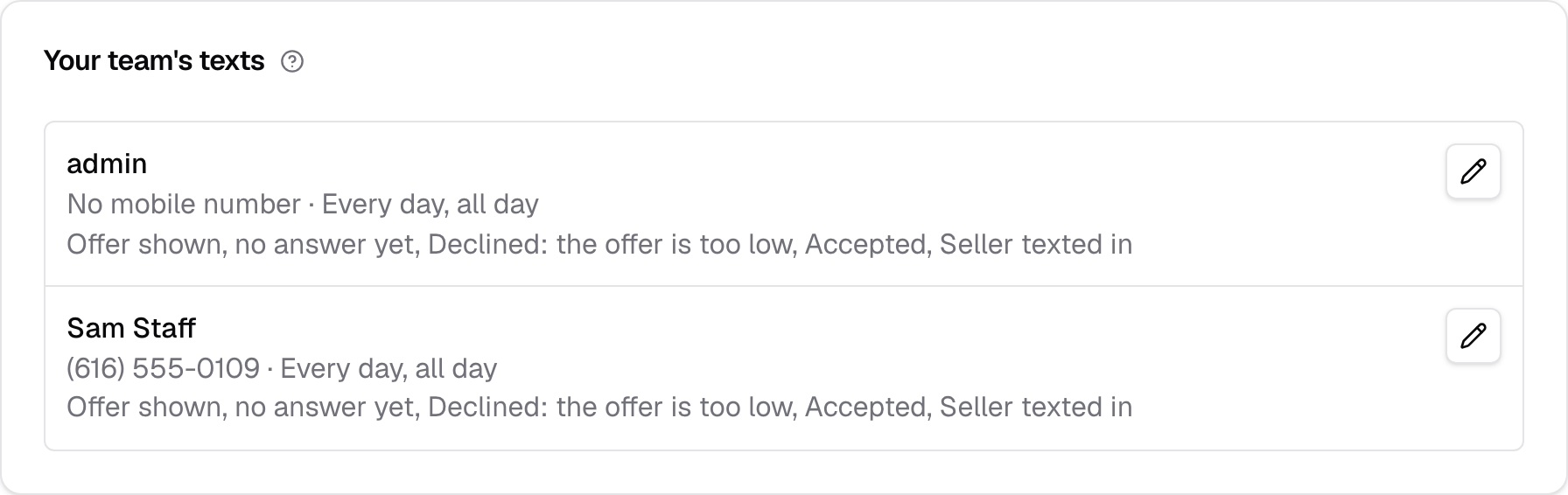
Your team's texts
Each person on your team is listed with their mobile number, their days and hours, and the points they get texts for. Choose the pencil on a person's row to change them.
A text to your team goes only to the people picked for its point, on their days and between their hours, at the mobile number on their Users record. If nobody is picked for a point, a text to your team at that point goes to nobody.
Someone with no mobile number, or whose account is turned off, can't be picked. Add the mobile number on Users, or on their profile.
A row reads "No mobile number" when the person has none, their days and hours such as "Every day, all day" or "Mon Tue Wed, 8 AM-5 PM", and "Nothing chosen" until they're picked for a point. With nobody on your team yet, the card reads "No users yet".
Texts to a seller or a tow company don't go through this card. They go to the seller's number on the quote and the tow company's number on its towing vendor; see Tow company texts.
Gets the texts for
Pick the points this person is texted about. Only texts that go to your team at those points reach them.
The choices are the points of the cards above that can text your team, each worded as its card is, so Pickup cancelled isn't one. Pick as many as you like. A text to your team can't be turned on while nobody is picked for its point, and you can't take the last person off a point that has a text on. Turn the text off first, or add someone else.
Taking the last person off is refused with the points it would leave, such as "“Accepted” would go to nobody. Keep someone on it, or turn those texts off first." Unchecking every day for that person is refused the same way.
Days
Pick the days this person gets texts. A person with no days gets none.
A text that comes due on a day they aren't on waits until they are on, as long as it's still on time. A text that waits more than an hour past its time is dropped, so nobody gets a stale text.
All day
Check All day to text this person at any hour on their days. It replaces From and To.
From
The time of day this person's texts start, in your yard's time zone. A text that comes due earlier waits until this time.
Set From and To to cover a shift. If To is earlier than From, the hours run overnight into the next day.
To
The time of day this person's texts stop, in your yard's time zone. From and To can't be the same time. To cover a full day, check All day.
Leaving From or To empty, or setting them to the same time, is refused with "Enter when their texts start and stop, or check All day."
Note
The time zone is the one set for your yard. Change it under your yard's settings if the hours look off.
Saving
Save keeps this person's points, days and hours, and the page says so, such as "Saved Sam's texts." Cancel leaves them as they were. The change shows in Change history under Texts.
If someone else saved this person's texts after you opened the page, your save is held and the page names who. Save again to replace their changes.
Phone quotes
When a seller gives their number to someone on your team on a call, your team is already on the phone with them. Texts to your team about that quote are skipped.