Bid multiple
The share of a car's scrap value you offer the seller, and what you keep.
The bid multiple is the lever you'll move most. It sets how much of each car's scrap value goes to the seller and how much stays with you, on every new offer.
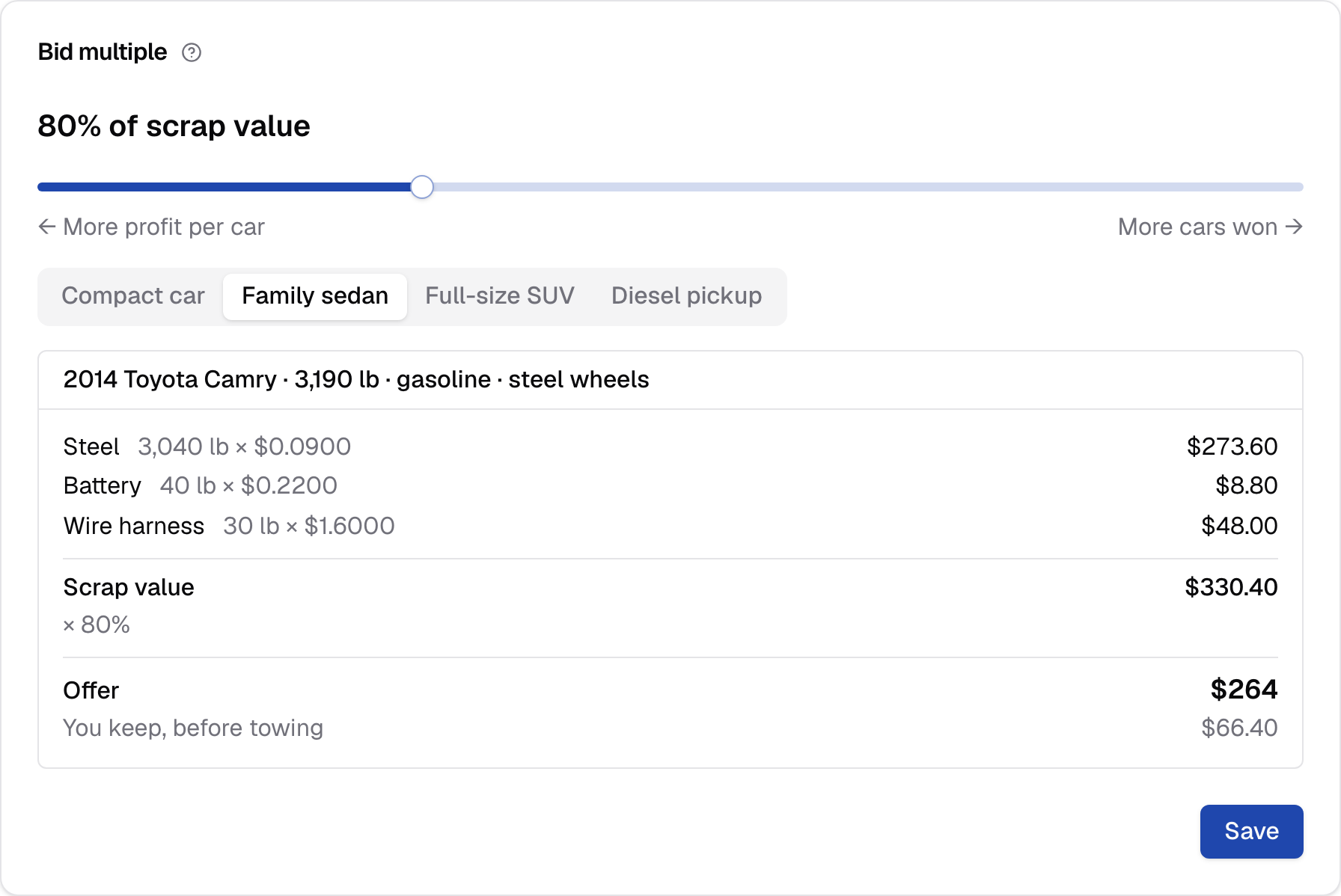
Bid multiple
The share of a car's scrap value you offer, from 50% to 150%. Lower keeps more per car; higher wins more cars. Only offers made after you save use it.
Slide left toward More profit per car, right toward More cars won. The figure above the slider reads the multiple as a percent, for example "80% of scrap value". It moves in steps of 1%.
- At 100% you offer the full scrap value and keep nothing before towing.
- Above 100% you pay more than the car's scrap value.
- The multiple applies after everything else: your metal prices, the answer values, the diesel truck add and any enthusiast add-on all go into the scrap value first.
A new site has no multiple until an Admin saves one, and every offer is $0 until then. The figure reads "Not set yet: every offer is $0 until you save a multiple." and the slider sits at its left end, 50%. Save there to make 50% your multiple, or move it first and save.
Saving it
Moving the slider changes nothing until you press Save. Your site then asks you to confirm the new multiple, because every new offer is made at it.
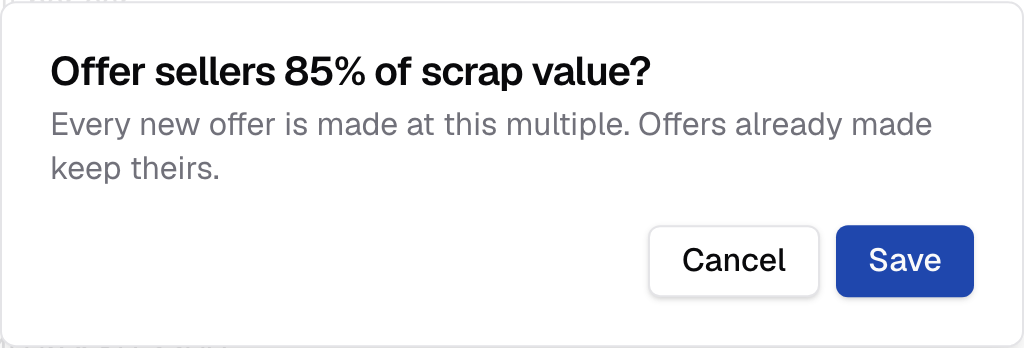
The dialog asks, for example, "Offer sellers 85% of scrap value?" Press Save to make it your multiple, or Cancel to leave the one you have. Offers already made keep the multiple they were made with.
- If you save the multiple it already has, the page says "Nothing changed." and nothing is recorded.
- A multiple outside 50% to 150% is refused: "Pick a bid multiple from 50% to 150%."
Try a car
Four example cars, each worked at your saved prices, so you can see what a seller would be offered before you save.
| Tab | Car | Shows what changes with |
|---|---|---|
| Compact car | 2010 Honda Civic | A light car |
| Family sedan | 2014 Toyota Camry | Aluminum wheels |
| Full-size SUV | 2006 Chevrolet Tahoe | A heavy body |
| Diesel pickup | 2005 Ford F-250 Super Duty | The diesel truck add |
The page opens on Family sedan. Each car's weight, fuel and wheels come from our vehicle list, for the trim the form would assume when a seller picks "Not sure". If the list doesn't have the car, the tab uses typical figures for it.
Each tab names the car, its weight, its fuel and its wheels, then works it line by line: each metal's pounds times its price, the diesel truck add when it applies, the scrap value, the multiple, the offer, and You keep, before towing. Above 100% the last line reads Paid over scrap value instead. A car on steel wheels has no aluminum wheels line, and only the diesel pickup has a diesel truck line.
The example uses no answers, so it's the offer for a car whose answers add and take off nothing. As you move the slider, the offer and what you keep follow it, and the offer never goes below $0. The metal lines don't change until you save new metal prices.
Choosing another tab opens the page again at your saved multiple. Save a new multiple first, or move the slider again on the new tab.
Note
This breakdown is for you. A seller sees only the offer.