Texting
Get a test text delivered and save the business details phone carriers need to deliver your texts.
Your site texts sellers their offer and pickup details. Phone carriers don't deliver business texts from a number until they've approved the business behind it. This step proves a text reaches your phone and gives the carriers what they need.
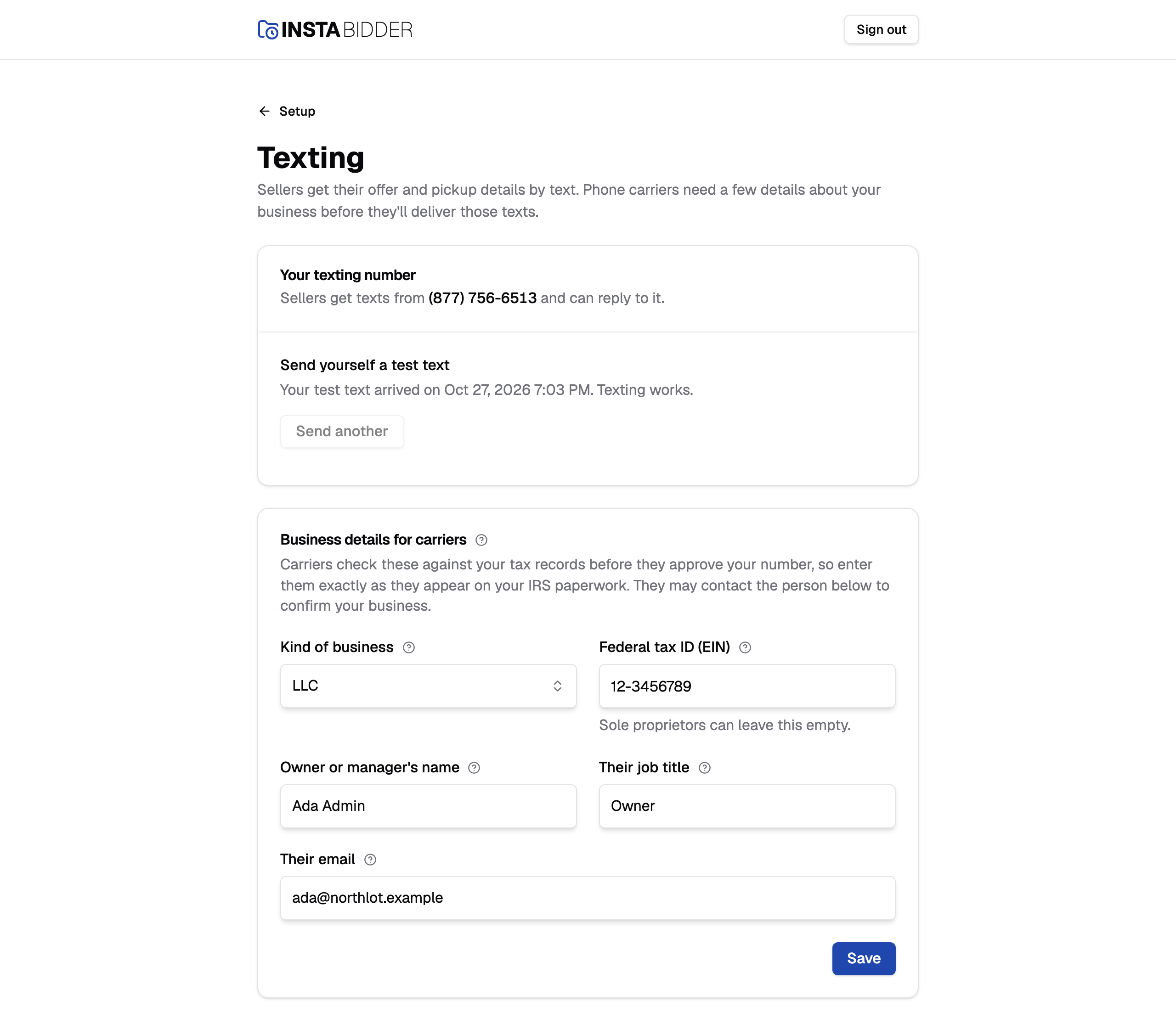
Texting comes after Business info, because the carriers check your business name and address. Until you've filled it in, this page shows only a notice, "Business info comes first", with a link there.
Your texting number
The number your site texts sellers from. Sellers can reply to it, and their replies come into Messages.
Once it's ready, the card says "Sellers get texts from" and the number. InstaBidder gets the number for you and registers it with the carriers. Until it's ready, the card says "Your texting number isn't ready yet. We're setting it up, and you can send a test text here once it's ready." You don't need to do anything about the number itself.
Test text
The test text goes to your mobile number from Business info. Choose Send test text and your phone should buzz in a few seconds.
It reads your legal business name, then "a test text from InstaBidder." The card says which mobile it goes to, with a link to your profile if that isn't your number. Without a mobile on Business info, the button is unavailable and the card asks you to add one there.
- Once it's sent, the page says "Test text sent to" your number, and that the step updates once it arrives. The card then says where it went and when.
- When it arrives, the card says "Your test text arrived" with the date and time, and "Texting works."
- If it never arrives, your number is probably still waiting on carrier approval. That can take days. Choose Send another once the carriers have approved it.
- If the text can't be sent at all, the reason shows in red at the top of the page, and nothing is recorded.
The Texting step is done when a test text has arrived and the details below are saved. A text that was sent but hasn't arrived doesn't count.
Send another never undoes a text that already arrived: the step stays done, and the page says "Another test text sent to" your mobile, "Texting already works, so this step stays done." Under "Your test text arrived", the card then follows the new one:
- "Another went to" your mobile, with when, while it's on its way.
- "The one sent on" that date "arrived on" a date and time, once it's delivered.
- "The one sent on" that date "didn't arrive. Send another to try again." if the carriers turned it away.
When InstaBidder's team is signed in, the card reads "Send the yard's Admin a test text" and the text goes to the mobile of the Admin they added on Business info.
Business details for carriers
Carriers check these against your tax records before they approve your number. Enter them exactly as they appear on your IRS paperwork.
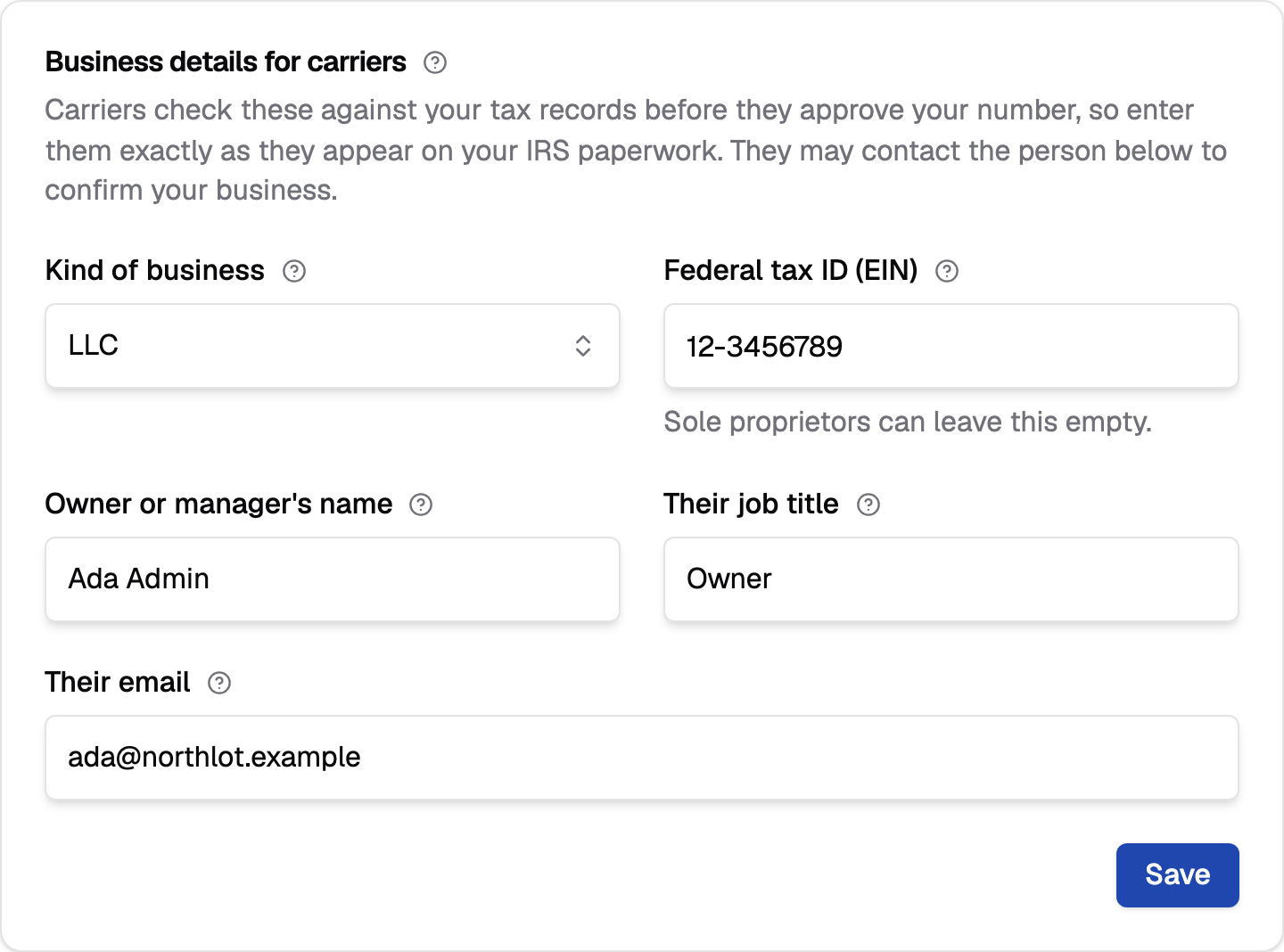
The carriers may contact the person you name here to confirm your business. Choose Save when all five are filled in. The page says "Registration details saved." and Change history records it. You can save these before or after the test text.
Your site starts the owner or manager's name and email from your own, since that's usually you. Change them if the carriers should contact someone else.
If something is missing, the field says what to fix and nothing is saved.
Kind of business
How your business is set up for tax. Pick one of Sole proprietorship, Partnership, LLC, Corporation or Non-profit.
Choose the one on your IRS paperwork. Picking a sole proprietorship changes one rule: you can leave the tax ID empty. Leave it on "Pick one" and your site says "Pick the kind of business."
Federal tax ID (EIN)
Your nine-digit federal tax ID, like 12-3456789. A sole proprietor can leave it empty.
It's the number on your IRS paperwork. If you enter one, it must have nine digits; spaces and dashes are fine, and your site saves it as 12-3456789. Anything else gets "Enter the nine-digit federal tax ID (EIN), like 12-3456789." Carriers use it to find your business in their records.
A sole proprietor has no EIN of their own to give, so leaving it empty is fine when the kind of business is Sole proprietorship. Every other kind of business needs one.
Owner or manager's name
The person carriers can contact to confirm your business. Usually the owner.
Enter the full name, up to 120 characters. Leave it empty and your site says "Enter who carriers should contact."
Their job title
That person's job title, like Owner. Carriers use it to confirm they can speak for the business.
Up to 80 characters. Leave it empty and your site says "Enter their job title, like Owner."
Their email
The email carriers use to reach the person above. Use one they read.
It needs an @ and no spaces; otherwise your site says "Enter a valid email address, like [email protected]."
Skip for now
Carrier approval can take a few days. If you aren't ready to test, choose Skip for now, and you can finish setup without this step.
It's in the last card, "Not ready to test yet?". Skipping takes you back to the setup steps, where the step is marked Skipped and no longer holds back Finish setup. Change history records the skip.
Come back any time to send the test text and save your details. The card then says when you skipped, and has no button. Once both are done, the card is gone and the step counts as done like any other.
Note
Until the carriers approve your number, they can block your texts to sellers even though your site sends them. Call a seller if you need to reach them before then.